

When you’re learning to search databases to find academic literature, lacking the appropriate language and terminology is the primary barrier. A mantra I repeat to students is that the key to good research is having good language to work with. Understanding that experts might describe your topic differently, or use unfamiliar jargon, is critical to conducting exhaustive research. Whether you’re writing your first college paper or working on a systematic review, language is key.
I can see the frustration in students’ (and faculty’s) faces when their searches turn up irrelevant results. Yet, sometimes the simplest of tweaks to a search uncovers dramatically better results. Including a different spelling or hyphenating a term can make or break a search.
Recently, I’ve had several conversations with students where the topic of using AI for brainstorming research concepts has come up. Interestingly, students are often afraid to use these tools. Here are some examples of the kinds of reactions I get when I attempt to explain how AI can help us.
“I’m afraid to look at AI.”
“I don’t want to fail, so I don’t want to look.”
“Someone will find out and I’ll get in trouble.”
These responses are eerily similar to their hesitancy to read Wikipedia for background information, as if reading such a source (even if just to get a general overview) will somehow poison their mind.
I’m not suggesting anyone get AI to write their essay for them. Because I went to school before these tools were available, I possess a decent writing foundation. But AI can be so much more than a plagiarism machine. I encourage in-person peer brainstorming sessions because discussing our ideas with others has a way of forcing us to think differently about a subject. But, if you don’t have the ability to meet with other people, AI can serve as a worthy substitute.
Map out a search
I encourage students to create a mind map when developing a search strategy. Exhaust everything you know (or think you know) about a topic on paper, and add to that as you learn more terms. Here are a couple of examples.
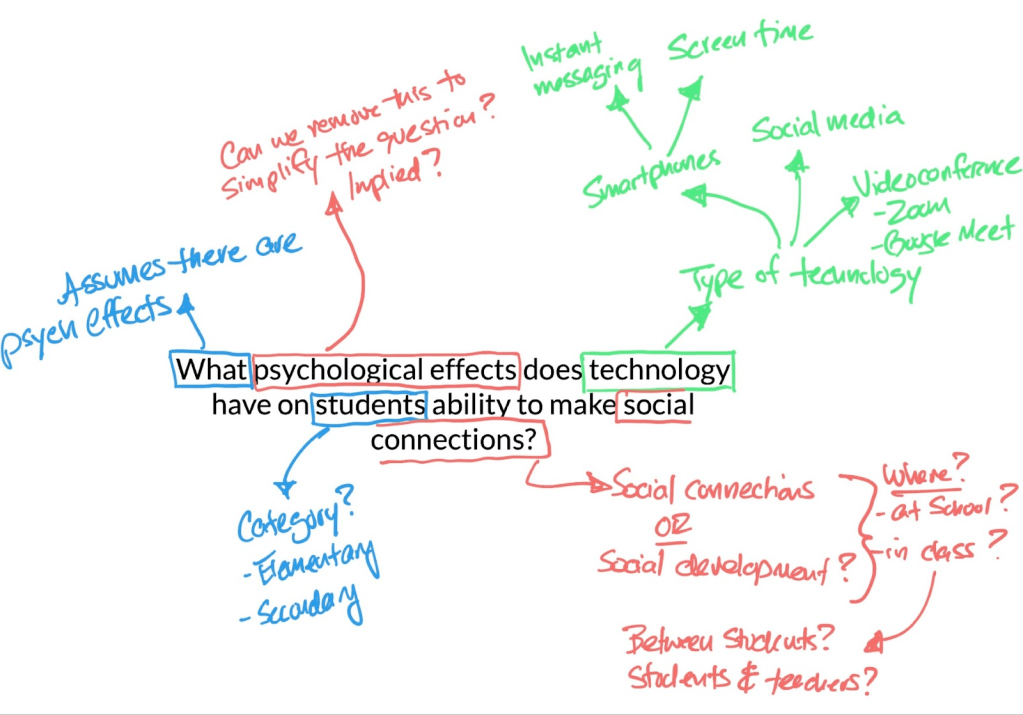
You write your topic in the middle of a page (or use an app that allows you to draw). Divide the topic or research question into themes. In the example above, one theme could be “psychological effects” since that’s not very specific. “Technology” is another theme. It might include things like social media, mobile devices, etc. The themes ultimately help you create a search with all the relevant synonyms for a database search. See the following example.
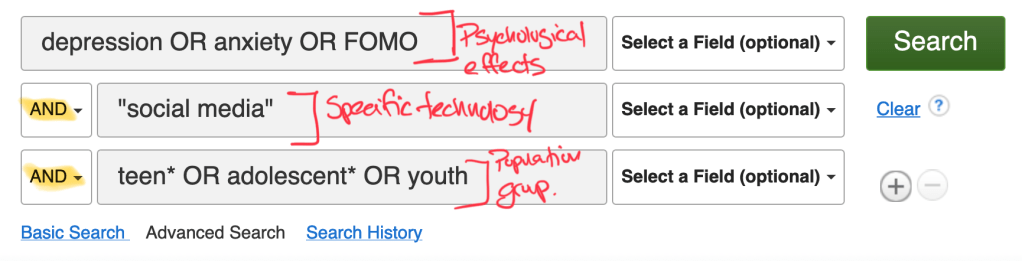
It’s a simple exercise, but an effective one.
Using AI for search
In years past, I would encourage students to document their process – adding new keywords to their mind map, refind their searches to be more specific, and track which searches work. I still do that.
But AI can unveil different ways of thinking about constructing search strings. Simple prompts are surprisingly useful.
generate alternative search terms for [my topic] for my database search. Format the terms as a list
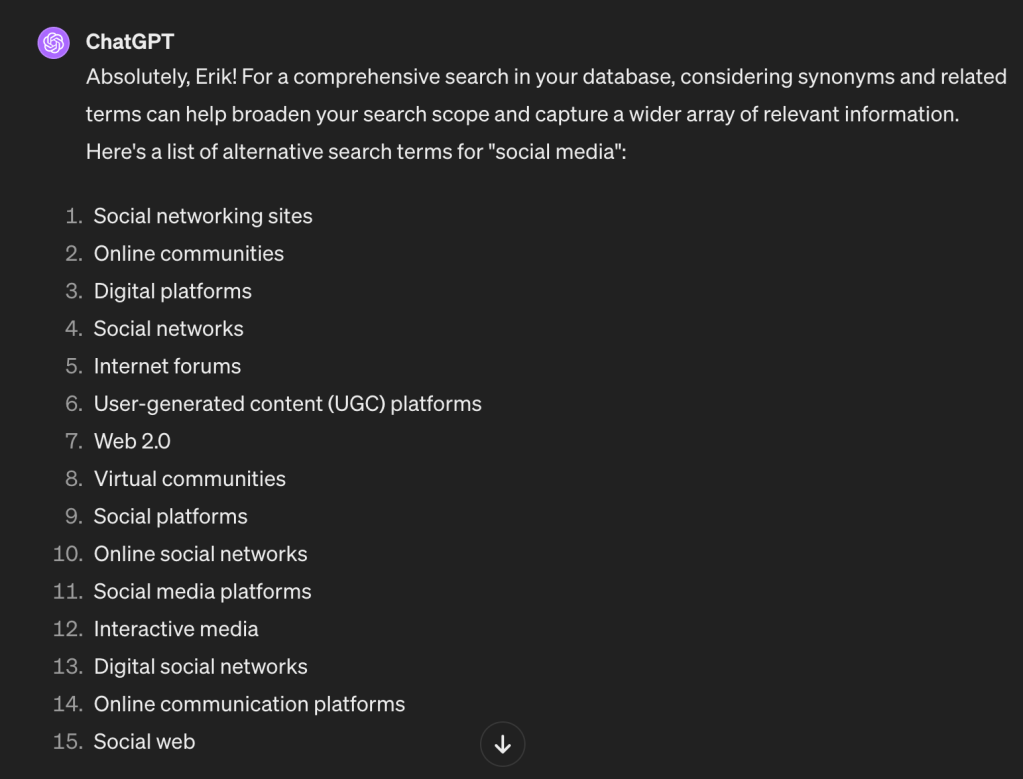
or…
create database keywords for searching [my topic or research question]. Create a table to showcase the different synonyms.
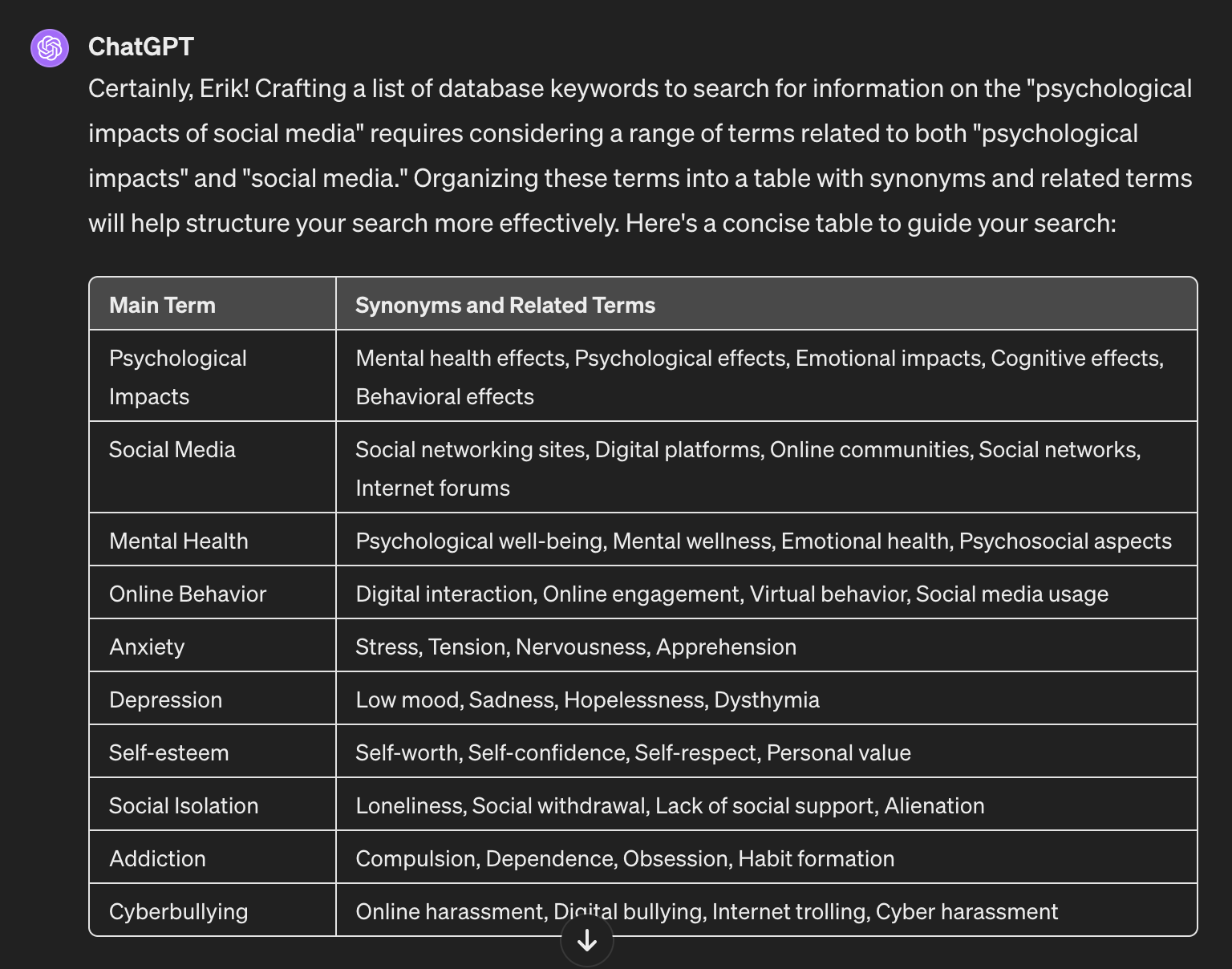
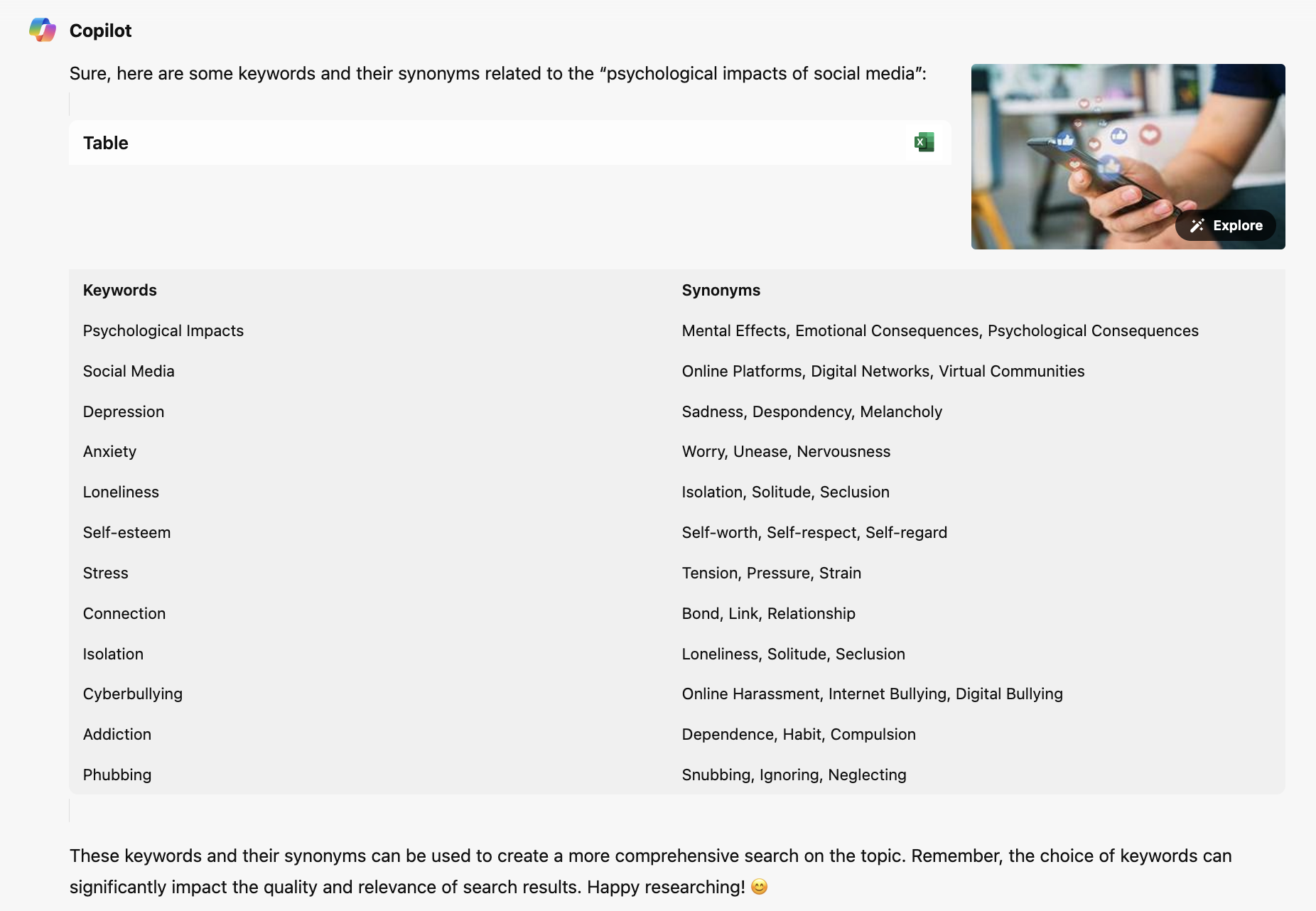
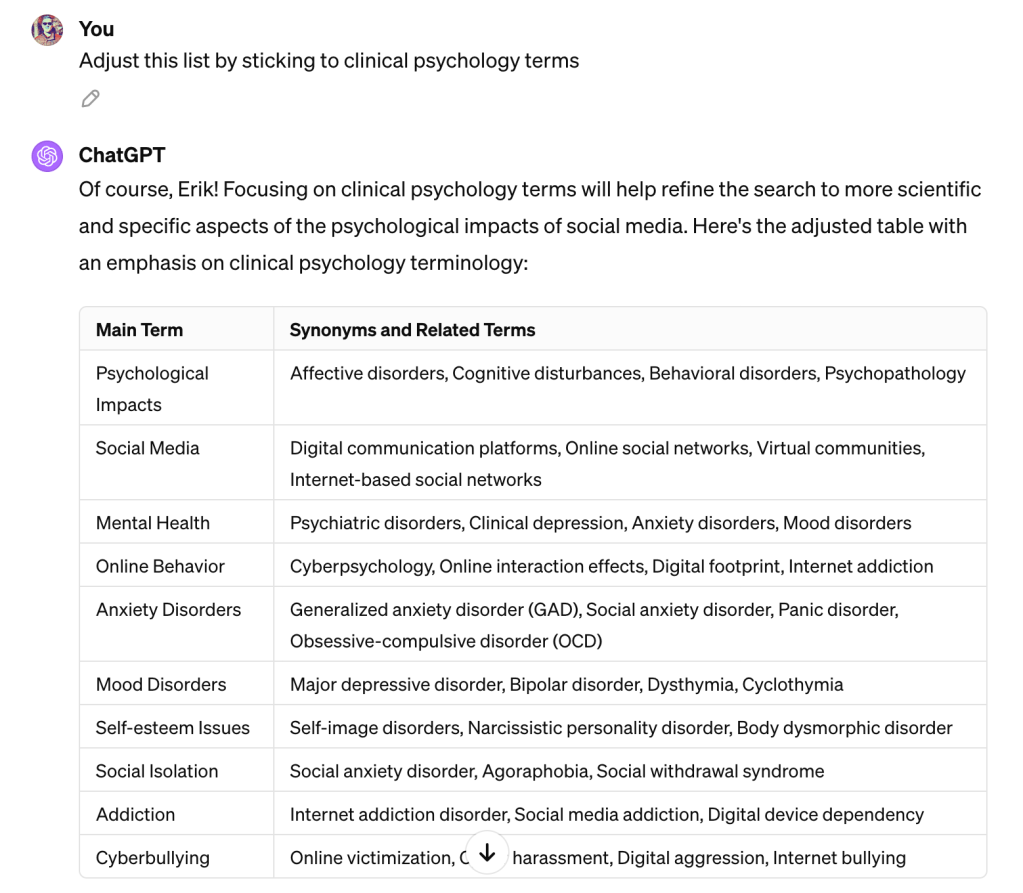
We can make the prompts more specific with a follow-up like…
Adjust this list by sticking to clinical psychology terms
Experiment
Developing good prompts is an art, not a science. Here are some strategies I use.
- Construct prompts like templates. Design them so you can make small modifications and use them again.
- Be specific. Be specific about the discipline you’re conducting research in. Be specific about the types of terms you want (eg. technical terms, medical terms, etc.). AI gets a bad rap for creating nonsense ideas, but this is far less likely if you provide specific instructions
- Ask AI to format your text. Sometimes AI does what I want, and sometimes it doesn’t. Usually, AI is good at taking content it has generated and reformatting it to your liking. Ask it to create a comparison table, format the data for Excel, put it in a list, divide the data into sub-sections, etc.
- Compare the outputs of several AI. Tools like ChatGPT and Microsoft’s Copilot are similar but produce subtle differences in tone and exhaustiveness of the answer. Similar to replicating a search strategy across different databases, try the same prompt using different tools.
There are valid concerns regarding AI and writing assignments. I’m not advocating you use AI to circumvent critical thinking and writing practice (I don’t use AI to write blog posts). But as a brainstorming tool, I’ve found AI to be very effective. So experiment!
 Erik Christiansen
Leave a comment