

Generative AI’s ability to create content has garnered much attention, particularly its tendency to produce unexpected or “hallucinated” responses. However, by applying custom instructions in a custom GPT, we can significantly reduce these occurrences, enhancing the chatbot’s utility for specific needs.
On a recent episode of Windows Weekly, Paul Thurrott and Richard Campbell discussed AI’s trajectory thus far, noting there is evidence that smaller large language models – that run locally on devices and are limited in scope – are likely where the industry is going. These models, promise to reduce operational costs without sacrificing functionality for tasks like travel recommendations or financial calculations due to their narrower data sets.
Running an LLM locally on your computer is possible today. (If this interests you, I’d suggest taking a look at Meta’s guide for Llama 2). But, I realize this requires a certain degree of technical expertise. If you’re keen on experimenting with a more contained version of ChatGPT, consider creating a custom GPT using select documents.
Making your own archive
I’ve ventured into crafting custom GPTs tailored solely to my document collections. This has allowed me to create searchable archives for various purposes, including a frequently used reference guide, a blog post repository, and a compilation of my CV and professional experiences (which are publicly accessible). These specialized GPTs enable me to query specific information about my past work or details within the guide efficiently.
Navigating to the custom GPT creation menu is straightforward, requiring just a few clicks.
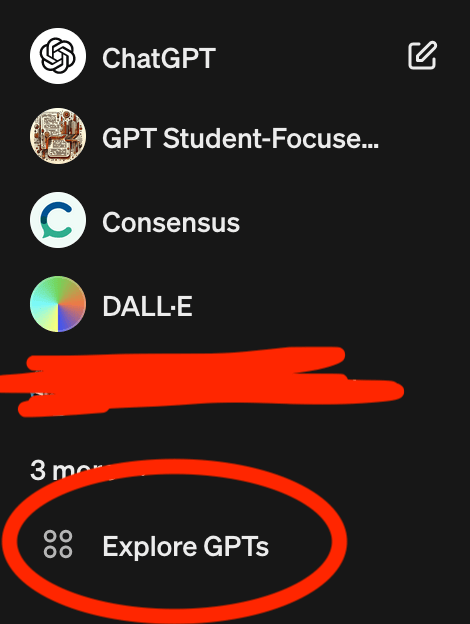
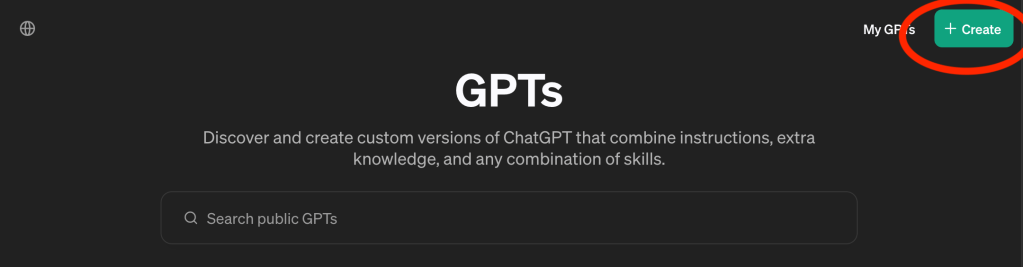
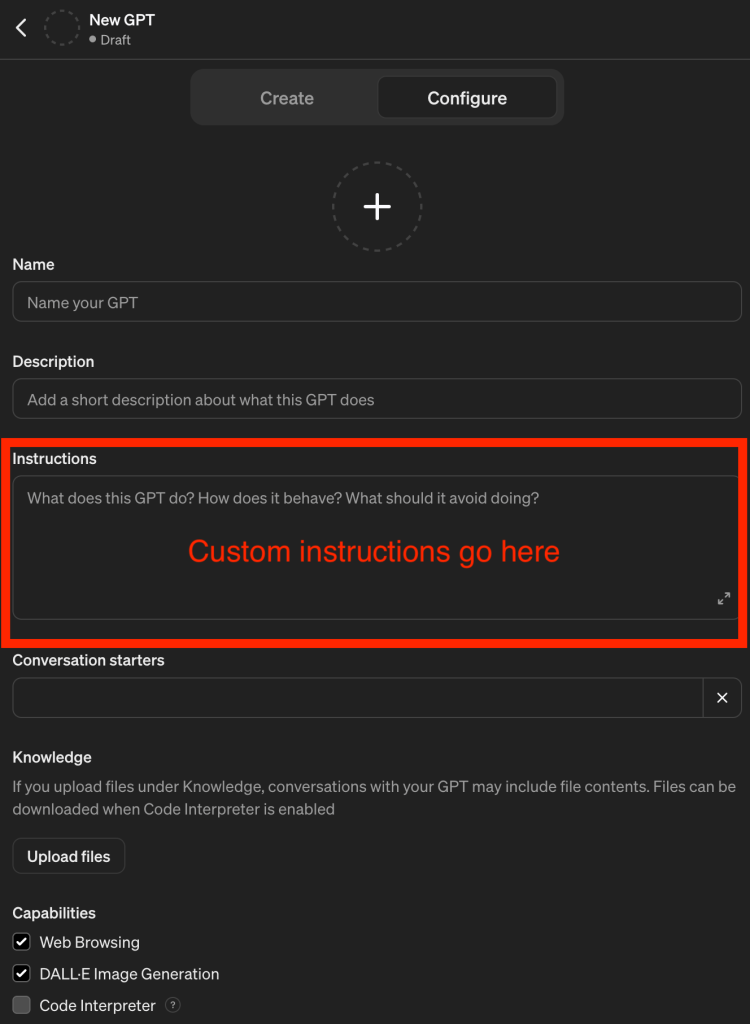
Refining the prompt took some effort, and it likely needs further adjustments. However, the current template (below) has proven to be effective for now.
This GPT is exclusively focused on providing information from the book [title of the source] by [author]. It is designed to automatically reference this document for every query, ensuring that all responses are directly supported by the guide’s content. This approach ensures accuracy and relevance, adhering strictly to the insights and instructions within the book.
Responses will be detailed and specific, always guiding users to the exact page number, chapter, or section (when possible) where they can find more in-depth information. This GPT serves as a comprehensive guide, allowing users to dive deep into the content, understand its themes, and explore specific details with precision.
Below are a couple of examples of custom GPTs I’ve created.
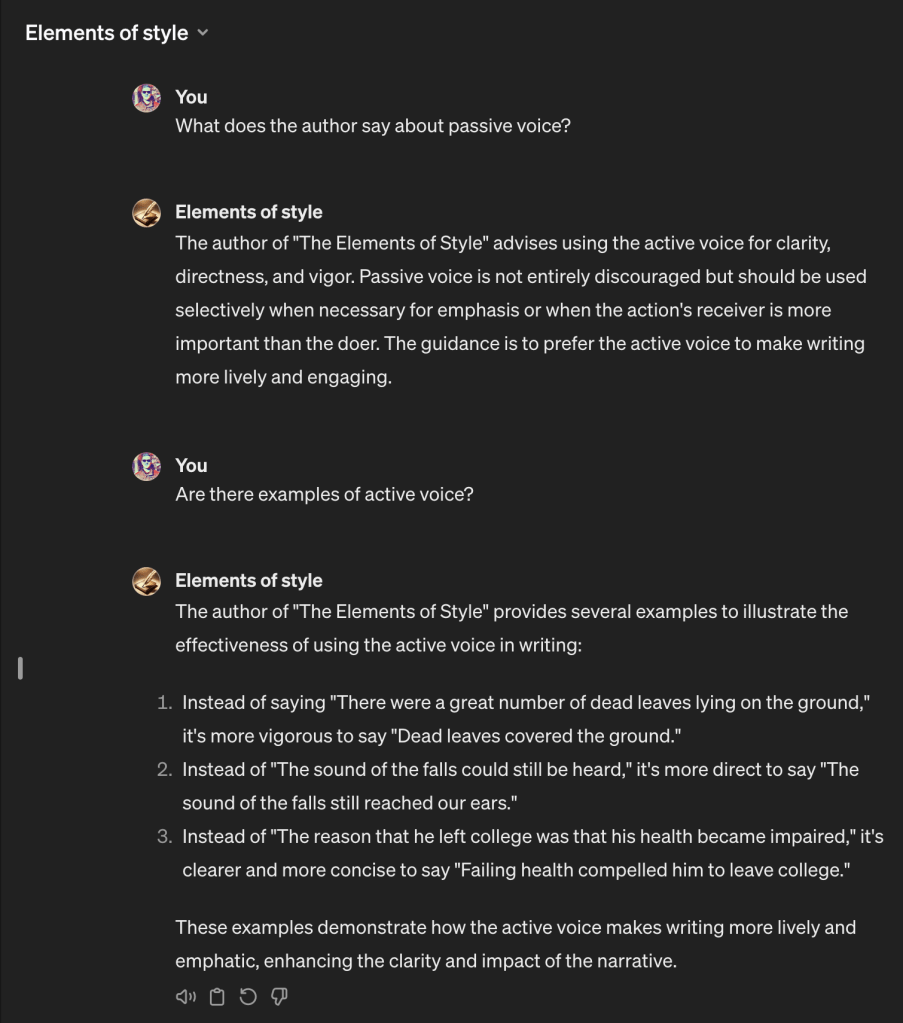
Book GPT: Elements Style, by William Strunk
The Elements of Style is one of my favourite writing books and I reference it regularly. Now I can search key aspects of the book. By uploading the PDF, I’ve made its key aspects easily searchable.
Archive GPT: Personal video game collection
Video games are a long-time hobby, and I’ve amassed a large physical (and digital) collection simply because I’ve rarely sold or lost any of these titles. A couple of years ago, I compiled this collection into a spreadsheet which I can now search thanks to custom GPTs. For this GPT, I uploaded my entire Excel spreadsheet.

Using variations of the prompt I’ve provided above, I’ve created about a half-dozen custom GPTs. Here are a couple of things I’ve learned from this process.
- PDFs are challenging: So far, ChatGPT hasn’t had too much trouble reading PDFs, even very large documents. However, a text document might make it easier for the GPT to search if you take the time to convert the file. I find it takes the GPT longer to analyze a PDF document. And, the AI isn’t always able to pinpoint the specific page number unless I ask it to do so.
- Be specific with your prompts: This goes without saying when working with an AI chatbot. You have to know a little bit about the source you are referencing (and preferably the specific sections) otherwise the GPT will bring back no results. When uploading an Excel file, you have to keep in mind how the data is structured and what the column names are.
The trend toward more specialized language models is clear. By creating custom GPTs for specific document sets, we place boundaries on this technology in a way that makes it more approachable and enhances its immediate practicality.
 Erik Christiansen