

We’re all accustomed to searching on the Internet. For twenty years it’s been our main way of finding information and answers, which means we’ve all had a lot of practice. AI chatbots might look similar at first, since you still type something in and wait for a response, but many people quickly get frustrated. Sometimes, you don’t get the answer you expect. So why does prompting feel so much harder?
For decades we’ve been teaching users how to make their searches concise. You can type an entire question (with a question mark) into Google and often you’ll get a decent answer. Try that in a database at a library and your mileage will vary. People who work in the information profession like myself have been training users to make their searches concise. Break down questions into keywords, use boolean operators (AND, OR, quotation marks, etc) so the database doesn’t have to infer any meaning.
In contrast, AI prompting is hard not because it’s difficult to learn or requires some domain knowledge. It’s hard because to be an effective AI prompter you need to do the exact opposite approach to searching on the web. With AI, being a blabbermouth works to your advantage. You want to provide more details, use more descriptive diction, and paint a crystal clear picture of what you want using examples. You have to tell AI what you want and don’t want. Otherwise, it will take liberties with your instructions and run with them, often giving you results you didn’t anticipate.
Furthermore, the detail matters even more when doing deep research tasks or creating images. In these situations you have to be extra vigilant about giving detail. For images, it’s almost better if you can visualize the image in your mind and try describing it to someone with their eyes shut.
To illustrate what I mean, let’s look at some examples.
Let’s assume our task is to find the top ranked SUVs for reliability in 2025. First, let’s start with a web search. If I wanted to find sources from Google to help answer this question, I’d likely search the following.
Most reliable SUVs 2025
If I really wanted to get fancy and make sure each search term appeared in all the results, I could modify the search this way.
+most +reliable +SUVs +2025
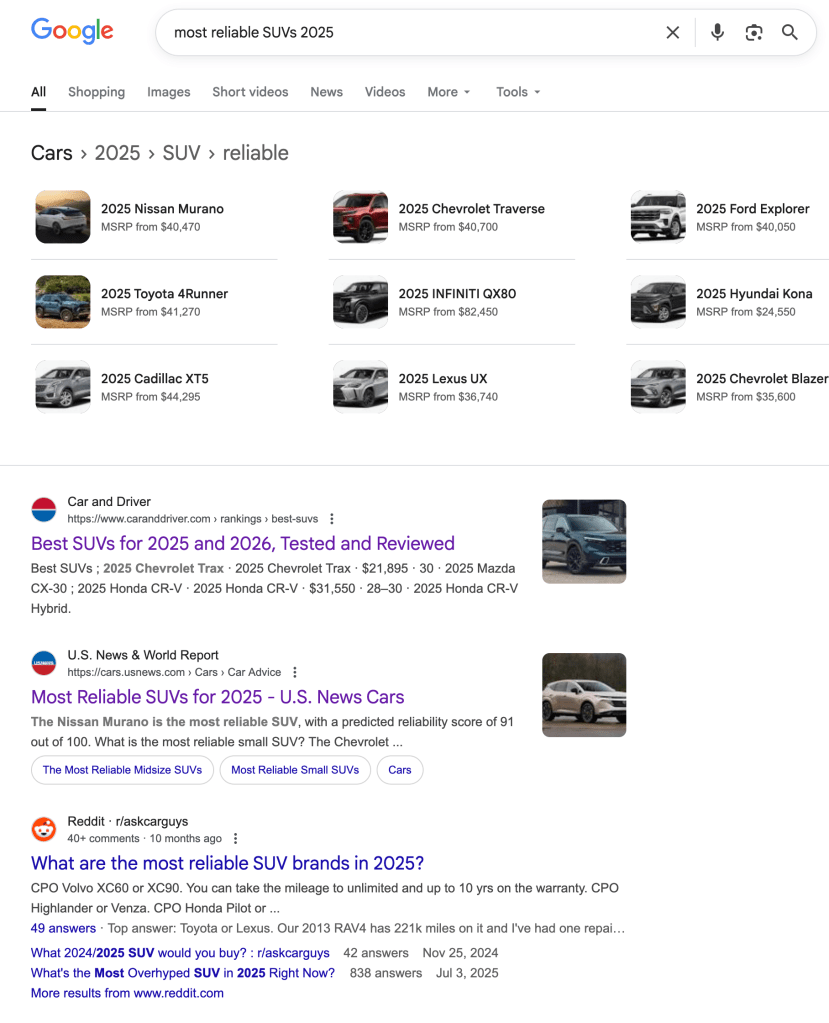
Now, if I was instructing an AI to bring back sources for me on the same topic, I would provide much more detail and likely some examples of the types of sources I want.
Find sources on the most reliable SUVs in 2025, including reliability ratings, warranty coverage, and comparisons from trusted outlets like Consumer Reports, J.D. Power, and Car and Driver.

If getting a detailed report via ChatGPT or Copilot’s Deep Research feature was my intention, I would add additional details to make it ultra clear what I was looking for.
Conduct deep research on the most reliable SUVs in 2025. Use sources such as Consumer Reports, J.D. Power, Car and Driver, and Kelley Blue Book. Include reliability ratings, warranty coverage, common mechanical issues, and expert predictions. Compare leading models from Toyota, Honda, Subaru, and Ford. Present the findings in a structured report with tables and clear recommendations for consumers.
Prompts you put into a Deep Research function usually result in the AI following up with some clarifying questions, making this a two-step process before it starts its search.
Things get even more complex when prompting AIs to generate images. One of my favourite tools for generating AI images is Microsoft Designer. Not only does it generate high quality stuff, it will also help you craft the prompt to get the best result. For example, I wanted to generate an image of an old school printing press that spit out pixels, floating through the air, that would merge into digital books. (I was creating a presentation about a digital publishing platform.) Designer gave me a suggested prompt which I modified and used to get some excellent results.
A super-realistic scene inside a vintage printing room, featuring an ornate, old school printing press at the center. A focused operator in classic work attire stands beside the press, hands guiding the machine. The room is softly illuminated by warm, golden light streaming through tall windows, casting gentle shadows across stacks of paper and wooden shelves. Instead of traditional paper, vibrant, glowing pixels pour out from the press, swirling and floating
Pro Tip: If you’re struggling with your prompt, ask your favourite AI chatbot to help you craft a more specific prompt. Just be clear that you want the output to be a prompt for a new chat, not to carry out the task of generating the image.

Prompting is hard because it’s the opposite of how we’ve trained users to think about web search for twenty years, and it requires the user to write more creatively. I don’t think AI web search features will completely replace web search. Sometimes it’s just easier to go to Google. But we will have to train users to prompt effectively, and we will probably do so in tandem with teaching traditional search strategies. Effective prompting is one of the skills needed for this new literacy.
Try this next time: Pick one task you normally do with Google and try rewriting it as a detailed AI prompt. Add examples, constraints, and the exact format you want the answer in. Compare the results. This single experiment usually makes the differences between search and prompting click immediately.
 Erik Christiansen
Leave a comment